Reset your JBL Clip 4 speaker:
Reset your JBL Clip 4 speaker:
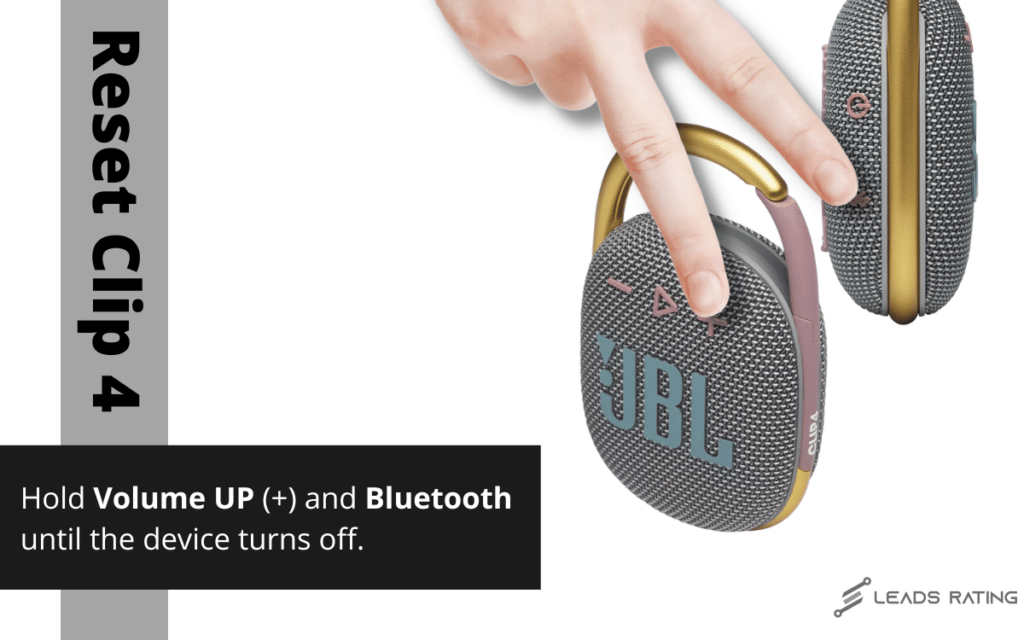
For the JBL Clip 4 Step 2 is a little different, to reset this speaker:
1. Make sure your speaker is turned on
2. Hold down the ‘Volume +’ together with BlueTooth
3. Hold down for 10 seconds (the light should turn off)
4. The speaker will be turned off.
5. When the speaker will be powered back on it will automatically go into Pairing Mode
Your JBL Clip 4 speaker is now reset to factory defaults!
Note: Remove the Clip 4 from your phone’s Bluetooth list before pairing again.
https://www.leadsrating.com/
Comments
Post a Comment